How VFX Artists Use AI in Post-Production: A Behind-the-Scenes Look
Last updated: September 2026
AI is transforming post-production workflows across the VFX industry. From rotoscoping to upscaling, AI tools are handling tasks that once took hours of manual labor. But how are real VFX artists integrating AI into their workflows? We asked our team to share their experiences.
The AI Post-Production Revolution
Post-production has always been labor-intensive. Tasks like rotoscoping, cleanup, and color matching require meticulous frame-by-frame attention. AI tools are now automating much of this work, freeing artists to focus on creative decisions.
At Promptly AI Video, we’ve integrated AI into every stage of our post-production pipeline. Here’s what we’ve learned.
AI Rotoscoping: The Biggest Time Saver
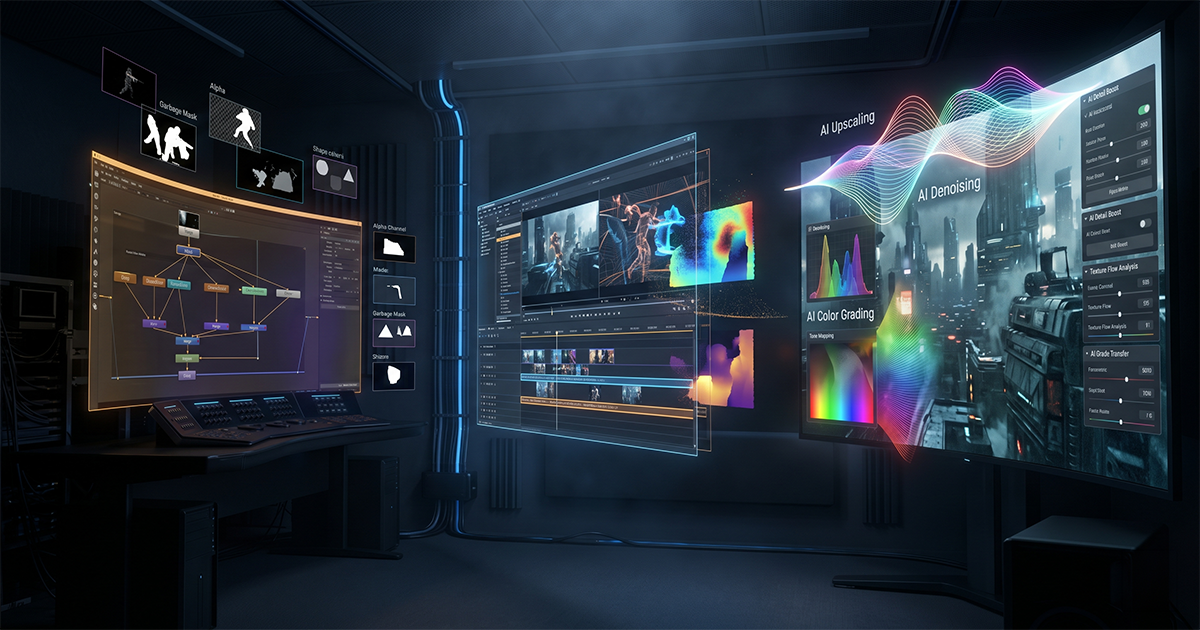
Rotoscoping — manually tracing objects frame-by-frame — was once the most tedious VFX task. AI rotoscoping has changed everything.
How We Use AI Rotoscoping
- Automated matte generation — AI creates initial mattes in seconds instead of hours
- Edge refinement — AI handles clean edges around hair and complex shapes
- Temporal consistency — AI maintains matte consistency across frames
- Human review — Artists review and refine AI output for accuracy
The result? What used to take 8-10 hours now takes 2-3 hours. That’s a 70% time reduction. For detailed techniques, see our AI Rotoscoping Tutorial.
AI Upscaling: Enhancing Resolution
AI upscaling models can enhance lower-resolution footage to near-4K quality. We use this for:
- Archival footage restoration
- Extending the life of older content
- Reducing the need for reshoots
- Preparing footage for larger displays
Modern AI upscalers like Real-ESRGAN produce remarkable results, though they work best on clean source material.
AI Denoising: Cleaner Footage
Low-light footage often contains noise that’s expensive to remove manually. AI denoising tools can clean up footage while preserving detail.
When AI Denoising Works Best
- Low-light interview footage
- High-ISO camera material
- CGI renders with noise artifacts
- Old footage with film grain
When to Be Careful
- Over-smoothing can lose important texture
- Artifacts may appear on complex patterns
- Always compare with original footage
AI Color Matching
Maintaining color consistency across shots is critical for professional work. AI color matching can analyze reference images and apply consistent grades automatically.
We use AI color matching as a starting point, then refine manually. It saves 30-50% of color matching time while maintaining artistic control.
AI Object Removal
Removing unwanted objects from footage once required hours of manual cloning and patching. AI object removal can now handle this automatically.
Common Use Cases
- Removing wires, rigs, and equipment
- Cleaning up backgrounds
- Removing temporary tattoos or logos
- Fixing continuity errors
The Human Element
AI tools are powerful, but they’re not perfect. Every AI output requires human review. The key is understanding when AI adds value and when manual work is still needed.
Our Quality Control Process
- Generate AI output
- Frame-by-frame review for artifacts
- Manual refinement where needed
- A/B comparison with reference
- Final approval before integration
FAQ
Can AI replace VFX artists?
No. AI automates repetitive tasks but cannot replace artistic judgment, creative problem-solving, or the nuanced decisions that experienced VFX artists make daily. AI is a tool that amplifies artist capabilities.
What’s the ROI on AI post-production tools?
Most studios see 40-70% time savings on tasks like rotoscoping and cleanup. This translates to faster turnaround, lower costs, and more time for creative work. See our cost comparison.
Related Reading
- AI Rotoscoping Tutorial — Learn AI rotoscoping techniques
- AI Video Production Cost Guide — Understand AI production pricing
- AI vs Traditional VFX — Cost comparison including post-production
- AI VFX Pipeline Setup — Build your own AI-powered pipeline
- AI Video Editing Services — Professional AI editing overview